Models, credits and limits
The AI models Prepped offers and what their answers cost in credits. Daily and per-meeting limits keep your spending where you want it.
Prepped pays AI providers for the work it does for you, such as answers and online speech recognition. You pay for that use in credits, and nothing else is charged. For plans after the invited test, see Pricing.
Models
Each meeting has its own answer model, chosen when you create it and changeable on its page. The online service offers these models; prices are the providers’ published rates in US dollars per million tokens.
| Model | Provider | Input | Output | Notes |
|---|---|---|---|---|
| GPT-6 Luna | OpenAI | 0.10 | 0.50 | Fast and low cost |
| GPT-6.1 Terra | OpenAI | 1 | 5 | |
| GPT-6 Sol | OpenAI | 2 | 10 | |
| GPT-6.1 Sol | OpenAI | 2 | 10 | New interviews start with it; Ultrafast available |
| GPT-6 Astra | OpenAI | 10 | 50 | The most capable; Ultrafast available |
| GPT-5.6 Luna | OpenAI | 0.20 | 1.20 | |
| GPT-5.6 Terra | OpenAI | 2 | 12 | |
| GPT-5.6 Sol | OpenAI | 4 | 20 | |
| GPT-5 nano | OpenAI | 0.05 | 0.40 | The lowest cost |
| DeepSeek Flash | DeepSeek | 0.30 | 1.20 | Reads screenshots |
| DeepSeek V4 Pro | DeepSeek | 1.32 | 3.96 | Does not read images; screenshots go to DeepSeek Flash |
Repeated context, such as a meeting’s material across its answers, is charged at the provider’s lower cached rate. DeepSeek charges half outside its peak hours, and Prepped charges what DeepSeek does. A web search during an interview costs US$0.01.
New interviews start with GPT-6.1 Sol. In Prepped’s blind comparisons of interview answers it won 28 of 38 against GPT-6 Luna and lost none, with about a third of the serious errors, at about US$0.01 an answer against GPT-6 Luna’s US$0.0005.
Ultrafast
GPT-6.1 Sol and GPT-6 Astra offer OpenAI’s Ultrafast tier, a switch beside the model below the question box of the live meeting’s page. It applies to answers during the meeting only; notes and preparation run at the normal speed. An Ultrafast answer costs six times the standard price, and turning it on raises a limit the meeting has of its own to at least US$1.50. DeepSeek has no such tier, so its models show no switch.
Credits
- 100 credits are US$1 of AI use at the price of the model that did the work.
- Each request first holds the most it could cost from your credits, then is charged what the provider reports it used, and the rest returns to your balance. A request interrupted before the provider reports its use is charged what it was expected to cost, marked as an estimate.
- Billing in the app shows your balance and every request with its cost, and each answer records what it cost.
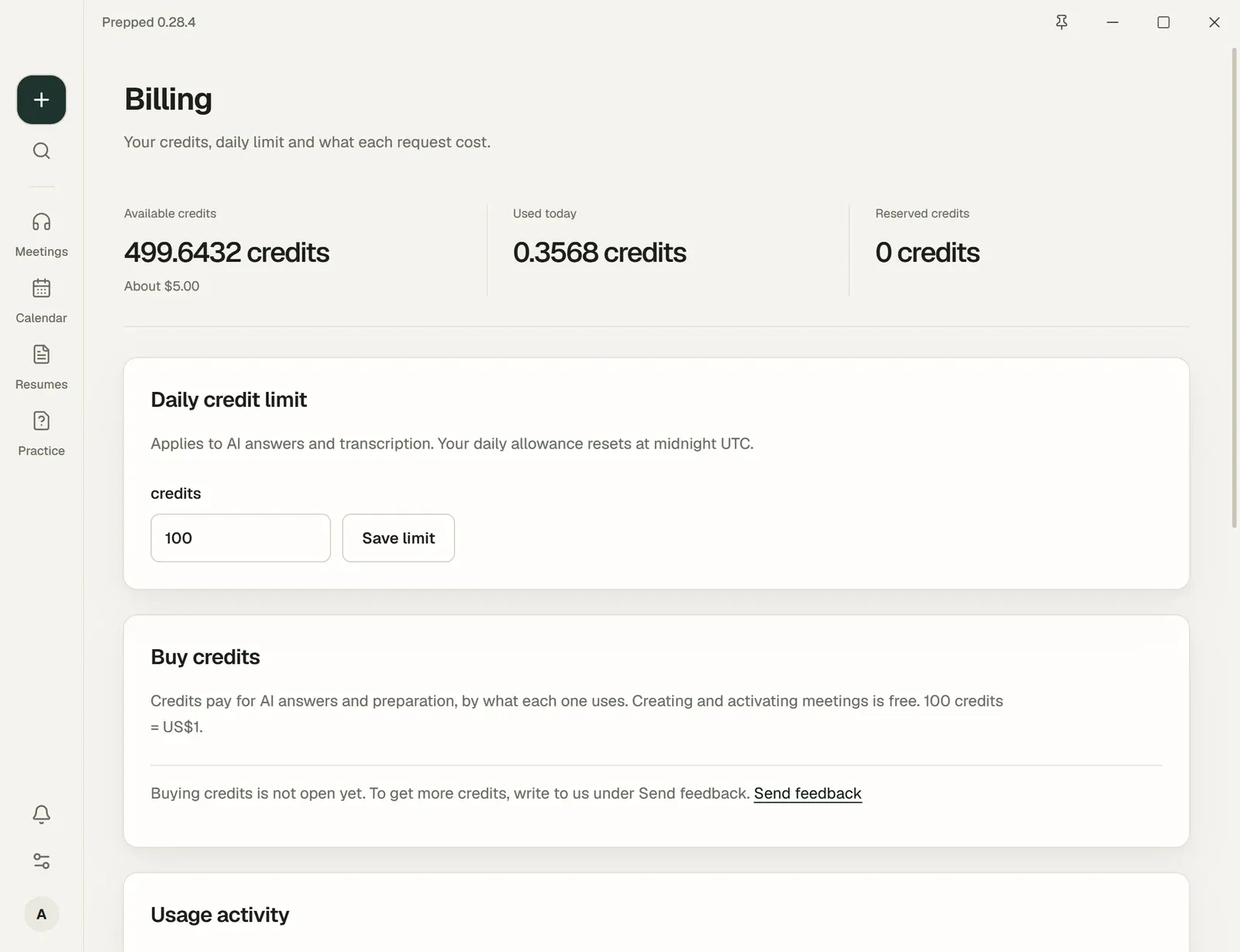
In the invited test, credits come with your invitation. When they run low, ask for more.
Limits
- Daily limit. The most the account spends in a day (UTC), for everything: answers, preparation, transcription and the rest. Change it under Billing.
- Meeting limit. A meeting has none of its own unless you set one in Session credit limit in the live meeting’s Conversation settings; with Ultrafast, a limit you set is at least US$1.50.
- Automatic answers pause after 30 within 5 minutes, until you resume them.
- An account may also make up to 120 paid requests a minute, and has hourly and daily caps on requests and uploads far above ordinary use.
The limits count what you have spent and what the requests running now are expected to cost. A request is refused before it starts, with a message saying which limit, when what is left of that limit is less than it is expected to cost.
What costs nothing
Everything that does not ask an AI model for work costs nothing, from setting up meetings and adding material to writing your own answers and exporting transcripts.