Speech recognition and the transcript
How Prepped turns both sides of a meeting into text and tells the speakers apart, and how to correct names and words in the transcript.
Prepped hears two channels and keeps them apart. System audio is what your computer plays, the other side in a meeting app, and the Microphone is you. Questions are detected in the other side’s channel only.
On Windows 11, system audio is the sound of every app except Prepped, on whichever speaker or headset each app plays, so a meeting app set to your headset is heard even when Windows’ default output is another device. On Windows 10 it is what plays on the default output.
How speech becomes text
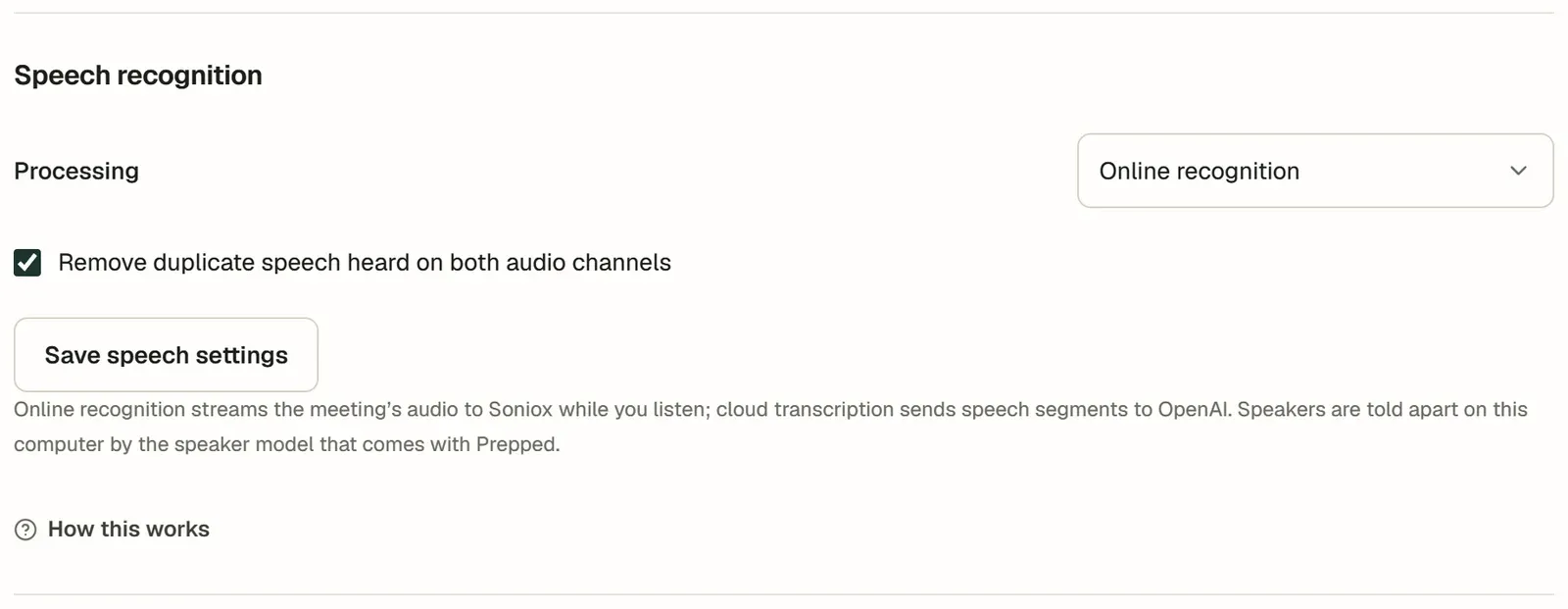
Prepped recognizes speech online. Choose how under Settings, then Desktop & audio, then Speech recognition.
| Way | How it works | Cost |
|---|---|---|
| Online recognition (the default) | While you listen, the meeting’s audio streams through the Prepped service to Soniox. You see the words as they are heard, and they settle about a tenth of a second after the speaker finishes. In Prepped’s tests on meetings and readings in seven languages, Soniox made the fewest errors of the four recognizers compared in six of them. | US$0.12 (12 credits) an hour of listening; the connection closes when you stop listening |
| Cloud transcription | The computer finds the speech, then sends each piece through the Prepped service to OpenAI’s transcription model. | About US$0.003 a minute of speech |
Both are paid with your credits, within the daily limit and the meeting’s own when it has one. The live translation, when you turn it on, adds about US$0.50 to US$1.20 an hour. The web app and the phone version recognize speech online too. In a browser, share the meeting’s tab or screen with its audio when it asks, so Prepped hears the other side.
Languages
Online recognition understands every language in a meeting’s Meeting language list, about 60 of them. Set what people speak in each meeting’s Meeting language, and for Chinese, Cantonese, English, Japanese, Korean, Spanish and French Prepped tells the recognizer to expect that language.
Names and terms
Prepped gives speech recognition the words a meeting is likely to use that it would not expect, such as the participants’ names and the terms that recur in your material. Names and jargon then come out spelled the way your material spells them.
With online recognition, Soniox also hears the meeting’s material as background, such as the job description and your resume, as much as fits in about 6,000 characters of English or 1,500 of Chinese. In Prepped’s tests the names of a meeting’s own projects came out right far more often with it (Obscuro 24 times instead of 9 in an hour’s meeting). Soniox charges for the material each time listening starts, less than one credit on each channel.
Speakers
On the computer, a speaker model (NVIDIA Nemotron 3 Diarization, about 107 MB) tells the voices on the system audio apart. The transcript labels them with numbers that hold for the meeting, or Unknown speaker when it is not sure. Rename a speaker in the transcript and the name applies to all their lines.
Some computers are too slow for the speaker model while a meeting runs. With online recognition, Prepped measures it as it listens. When the model needs most of the audio’s own length to keep up, or the computer stays almost fully busy, for two minutes in a row, or when the other side’s words keep waiting for it before they reach the answer, Soniox tells the voices apart instead for the rest of that meeting, at no extra cost. The next meeting starts with the speaker model again.
With loudspeakers instead of headphones, the microphone hears the other side again. Remove duplicate speech heard on both audio channels (on by default) drops text on the microphone that closely repeats what the other side just said.
The transcript
The meeting’s page shows the whole transcript, where each speaker’s continuous speech reads as one paragraph with its time and speaker, and a pause or another speaker starts the next. Correct a passage by clicking it in the workspace’s Transcript tab. Corrections keep their history and update questions not yet answered. Find text in this transcript searches it. Raw audio is not saved unless you turn on meeting records in the desktop app.
When a meeting with material ends, Prepped reads its transcript once more with the material, using the low-cost model of the meeting’s provider (GPT-6 Luna for OpenAI), and corrects what speech recognition misheard, such as names and terms; it changes nothing else, and passages you edited stay as you wrote them. A paragraph with corrections says Corrected with the meeting’s material. Open it to see what was recognized, and choose Put back what was recognized to undo a change. With GPT-6 Luna this costs about one credit an hour of meeting. A meeting without material is not corrected, since in Prepped’s tests a correction without material made the transcript worse.