Questions and practice
Rehearse your answers to common interview questions or to questions written for one job, hold a mock interview with an AI interviewer, and read the feedback.
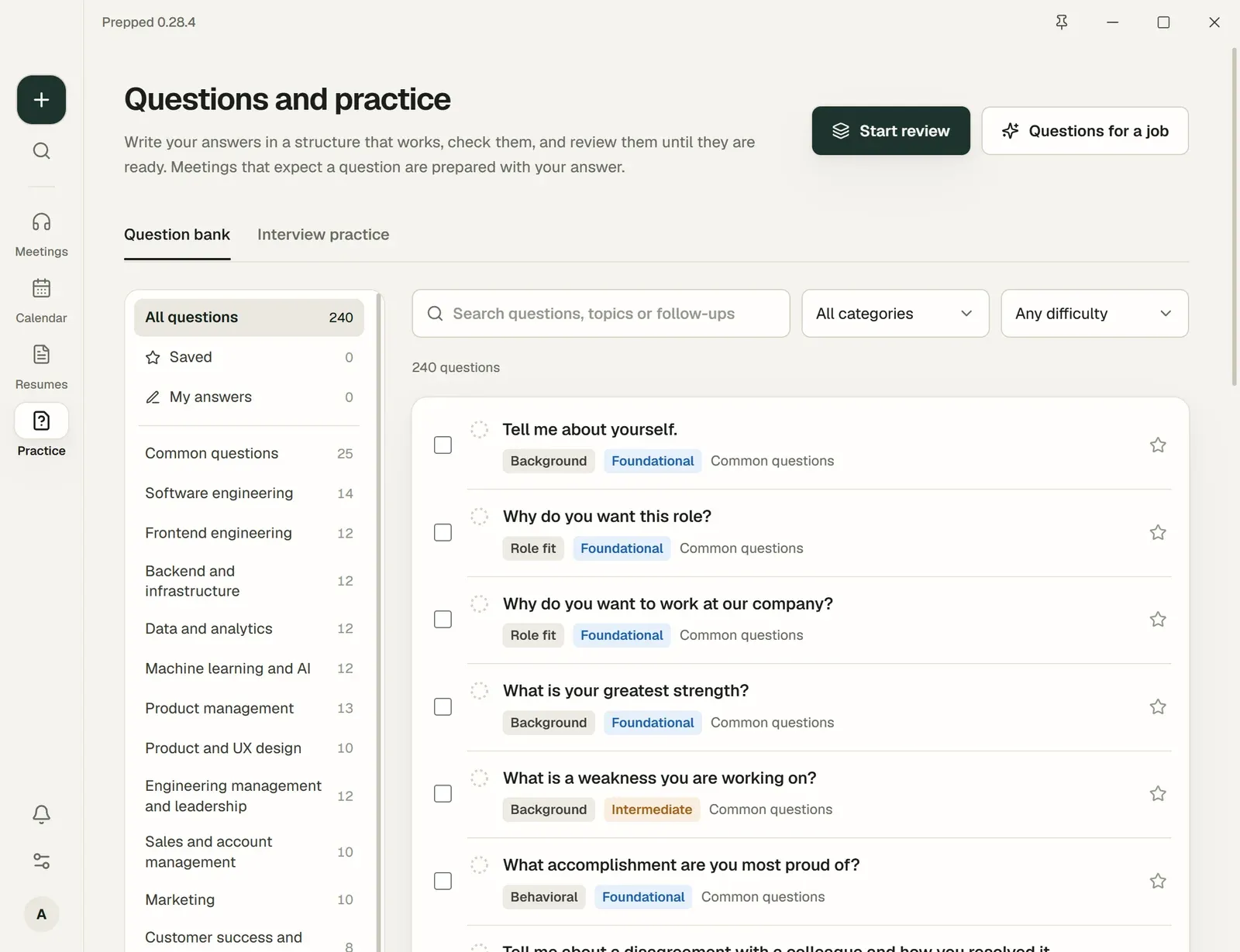
Questions and practice (Practice on the desktop app’s bar, under Prepare on the web) has two tabs, Question bank and Interview practice. They help you get ready before any meeting exists, and they feed the meetings you prepare.
The library
The Question bank holds 192 interview questions written for Prepped, in all six languages, grouped by the kind of role. Each comes with what interviewers look for and how to structure an answer. Alongside them are 48 published examples, kept with their original wording and their sources.
The roles are a row of tags above the questions: All questions, Saved, My answers, My questions and the first roles show, and the other roles are under + more. Search and filter the questions, and save the ones you want to keep under Saved. Select several to review them, to hold a mock interview that asks them first, or to add them to a meeting.
Your own answers
Each question has a page for your answer, written part by part in the structure that suits it, such as STAR for a story about a past experience, with notes for the follow-ups. Checks that run on your computer estimate how long the answer takes to say and point out missing figures and repeated words.
Rate how ready the answer is, from Needs practice to Confident. The question comes back for review when it is due, sooner when it needs practice and later when you are confident.
Answers you keep from an interview (answers that went well) join your own questions, under the meeting’s title, and come back for review like the others.
A meeting that expects the question is prepared with your answer, and its answers in the meeting build on what you wrote. On a question’s page, In your meetings shows the planned meetings that expect it, and you can add it to another.
Questions for a job
Questions for a job writes the questions an interviewer for one job is likely to ask, from its job description and, if you choose, your resume. They are kept under My questions, where you can answer and rehearse them like the library’s. Writing them is a paid request.
A job target keeps its questions to prepare here as well, under its name, and an answer you write to one counts as evidence for its requirement. Each of your own questions shows where it came from (a job target, a job, a meeting), and Source lists those of one of them.
Mock interviews
New mock interview, on the Interview practice tab, holds one round of an interview aloud with an AI interviewer. It runs as a meeting of its own: in the desktop app with the overlay and the app’s speech recognition, in the browser on the meeting page with the microphone. Choose what it practises:
- A job target. The interviewer reads the target’s requirements, your evidence for each, your stories and what its earlier rounds showed. When the target’s next round is planned, the mock interview rehearses that meeting, with its material and preparation. See Job targets.
- An interview meeting. Its page has Mock interview beside Activate meeting. The mock interview is a rehearsal of the meeting: it uses its job, resume, material, the questions you expect and those its preparation predicted, and gives the meeting nothing. The meeting’s page lists its mock interviews.
- Questions you choose. Select them in the question bank and choose Mock interview with these (up to 12); the interviewer asks them first.
- A job you describe there, with its company, role, description and your resume.
The interview itself:
- Round and length. Recruiter screening, behavioral, technical, coding, system design, hiring manager, final, and the other rounds of the role’s field, for 15 to 60 minutes. A coding or system design round shows its problem; in the desktop app, turn on Read screen in the overlay so the interviewer reads your code or design.
- The interviewer. It asks the round’s questions for the job: first the questions you chose, then the questions earlier reviews of the same job found answered in part or weakly that this round tests. It follows up on what you said, at most twice a question: a number you left out, your own part, a trade-off, the result. It cuts in when an answer runs past its time, answers what you ask it, and answers your questions at the end. It goes on when you pause; Done tells it you have finished, Next question moves on, and you can type an answer instead of saying it. Read the interviewer aloud uses your computer’s voices, and the microphone pauses while it speaks.
- The review. When you end it, its page has the review a real interview gets (After the meeting): each question with what you said, what it covered and missed, and a better answer from your own experience. Its questions go into your question bank with the review’s rating, and come back for review on their schedule. For a job target, what the review found strong and what to improve joins the target as practice.
The interviewer and the review are paid requests with the model you choose; one mock interview spends at most US$1.50.
Practice from earlier versions
Practices of questions made before mock interviews, and those of a meeting other than an interview (its Practice for this meeting), stay on the Interview practice tab with their answers and feedback.
- Read or listen to the question.
- Answer aloud with Record answer or type it. You can edit the transcript of a spoken answer before saving it.
- Ask for feedback. It quotes your saved answer and says what to keep and what to change.
- Or let the interviewer ask one more question about your answer, as a real one would.
The practice report keeps every answered question with its feedback. Choose the model and the language for feedback when you start. Feedback, follow-up questions and transcribing a recorded answer are paid requests; typing and reviewing cost nothing.